



Relationships that last
Clients, leads, agents and partners — keep the people behind every transaction connected.
 Great Planes for Sale.
Cleared for takeoff
Good relationships.
Better aircraft sales.
Buyers, sellers, listings and closings — from your first trainer to a long-range jet. One workspace for your aircraft brokerage.
A fresh start for your organization.
From the first conversation to the final closing.
Clients, leads, agents and partners — keep the people behind every transaction connected.
Bring buyers, sellers, lenders and documents into the same transaction.
Keep offers, pre-buy inspections, financing and closing dates alongside life's important anniversaries.
Features
One workspace for the relationships, the paperwork and the money — without the spreadsheets.
Buyers, sellers, brokers, lenders, escrow and title agents, inspectors and ferry pilots — tagged with relationship checkboxes, multiple labeled emails and phones, and a city for each person.
Tail number, buyers, sellers, co-brokers, and milestone dates for offers, pre-buy inspections, financing and closing.
Final sale price, commission, paid to date, percent to agent and an agent-paid box — so you always know what is still owed.
Birthdays (year optional), anniversaries, license and continuing-education deadlines, and every deal milestone — surfaced a week ahead.
Upload deal documents against a required-documents checklist, choose exactly which participants — buyer, seller, lender, title — can see each one, and record who reviewed and approved it.
Every office gets its own listings site with a photo slideshow, make and model search, full spec sheets, saved aircraft and viewing requests.
Turn a few rough thoughts into a polished campaign email, choose recipients by relationship, and send with recipients kept private.
Dated notes with a Requires follow-up flag, an alerts tile, and a log of every call, email, text and letter.
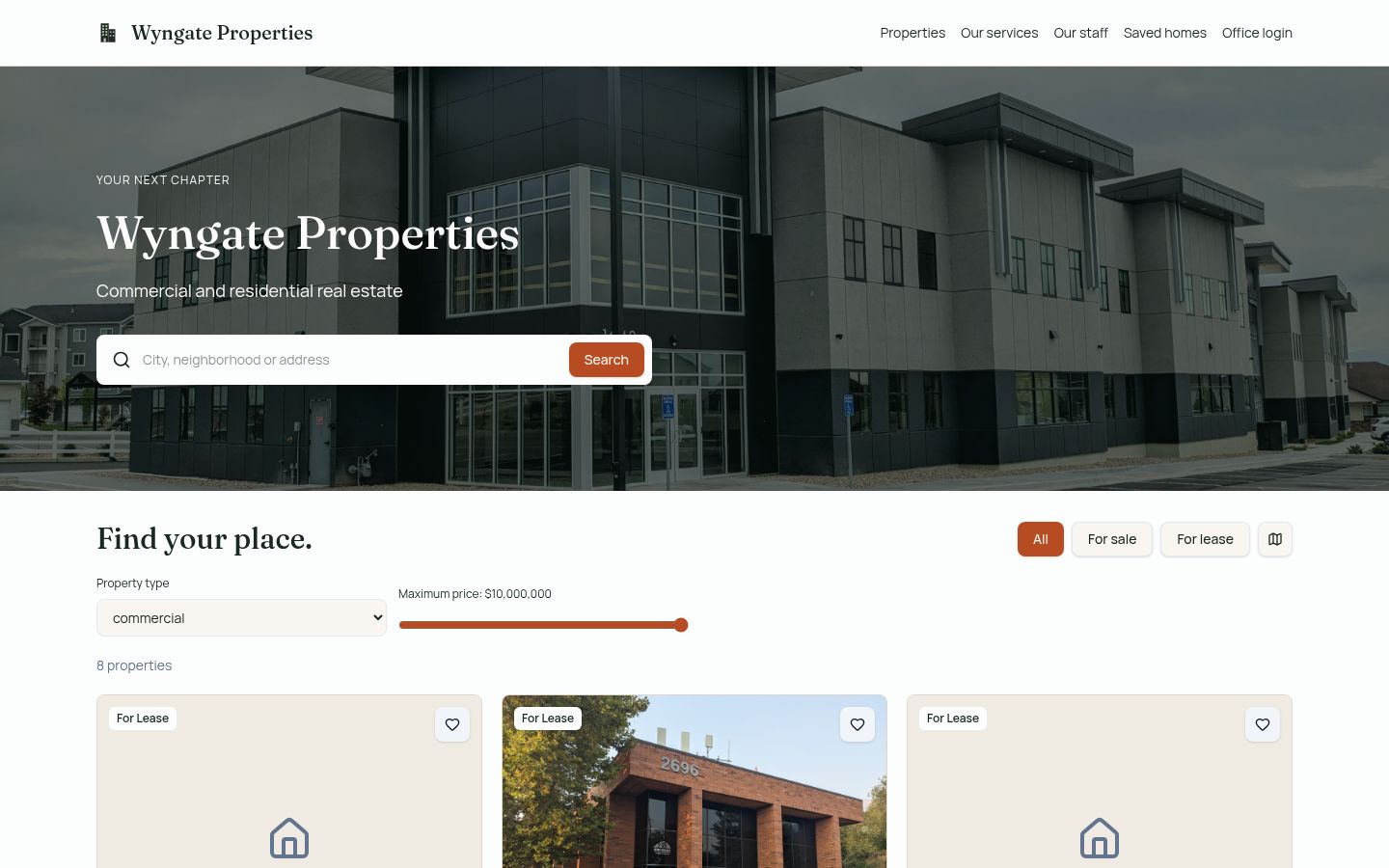
Your public website
Most CRMs stop at your inbox. Great Planes for Sale also publishes the side of your business buyers and sellers actually see, and keeps it in step with your listings.
Dashboard
Open the app and see the numbers that matter, with every tile clickable straight through to the deals and people behind it.
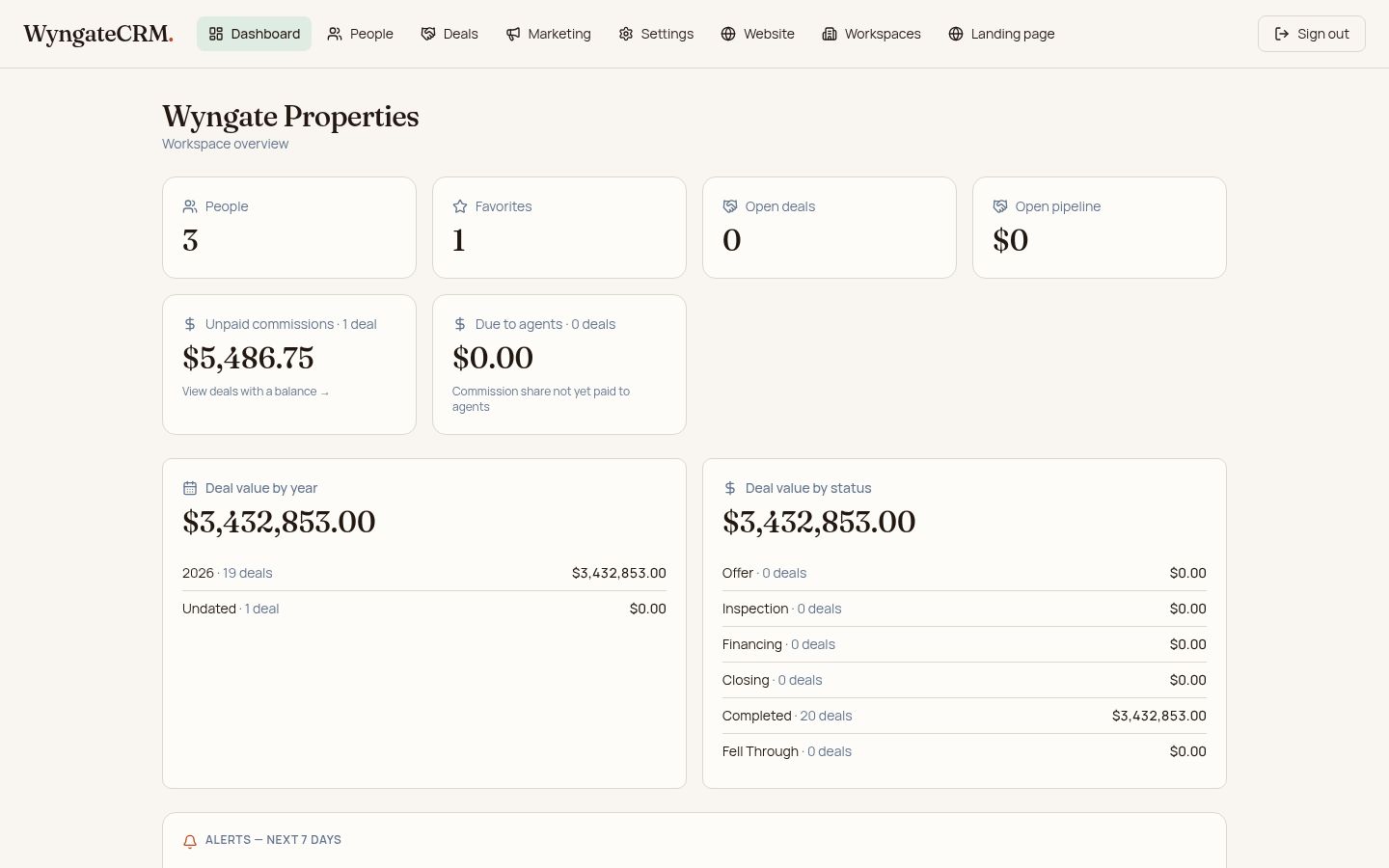
Inside the app
Six places in the menu, and every one of them retires a spreadsheet you are still keeping.
This is where you land: people, open pipeline, deal value by year and by status, unpaid commissions, amounts still due to agents, an Alerts tile for the next seven days, and traffic to your own public website. Every figure opens the records behind it.
One browse of everyone you work with — name, company, phone, email, city — filtered Active, Inactive or All. Open a person for relationship checkboxes, every labeled email and phone, birthdays and anniversaries with the year optional, dated notes flagged for follow-up, and an invite that grants access the moment they sign in.
The aircraft, buyer, seller, brokers and co-broker, milestone dates for offers, pre-buy inspections, financing and closing, plus date listed and listing expires. Documents sit on the deal with a tick box for each participant, so a buyer sees only what a buyer should.
Final sale price, commission, paid to date, percent to agent and an agent-paid box sit together on the deal. The dashboard totals what is still owed, and clicking that figure brings up exactly the deals with a balance.
Log every call, email, text and letter against a person. Then write a campaign in plain words, let AI turn it into a professional email you can edit, choose recipients by relationship, and send from Gmail, Outlook or your own email app with recipients kept private. Drafts are saved for the office, so anyone on the team can pick one back up.
Publish the office's listings site, choose the photos that lead it, set the aircraft type visitors see first, and upload staff profiles and services. Settings holds your office details, the picklists everyone picks from — with a heads-up of how many records a rename will change — and your subscription.
Run more than one office? Each keeps its own people, deals, documents and website. A company official moves between them in a click; staff see only the offices they were invited to. Read the full story on the About page.
Closing files
A required-documents checklist per transaction type, a review tick on each file, and the whole closing package kept with the deal.
Transaction incomplete — 3 of 5 documents filed, 2 still outstanding, 1 awaiting review.
Visibility still applies file by file — a buyer sees only the documents you allowed them to see — and the checklist, the approvals and every upload stay on the deal after it closes.
Website traffic
Every office portal includes a Website Traffic panel — no outside account to connect and nothing to install.
Visitors are counted with a random ID kept in their own browser — no names and no contact details — and only your office sees its own numbers.
How it works
Most offices are working in Great Planes for Sale the same day they create it.
Sign up, name your company and add your first office. Your workspace is ready immediately with a free three-month trial.
Send invitations by email. Staff see only the offices they've been invited to; company officials can move between every office.
Add contacts with relationship tags, dates and notes, then build deals with participants, milestones and documents.
Turn on your office site, pick the photos that lead it, and point your own domain at it so visitors land straight on your listings.
Write campaign emails, log every effort, and watch deal value, unpaid commissions and agent balances on your dashboard.
Built for firms
Grow from a single office to a multi-office firm without changing tools.
Each office keeps its own people, deals, documents and public website. Company officials switch between offices in a click to see what is happening everywhere, then go back to the one they work in.
People join by invitation and see only the offices they belong to. Documents carry per-participant visibility, so a buyer sees what a buyer should see — and nothing else.
Pricing
A free three-month trial on every office. Your public website is included.
$100per office, per month
$1,000per office, per year
No setup fees, no per-user charges and no contract to sign.
Questions
No. Every office gets its own public listings website as part of Great Planes for Sale — including a photo slideshow, search, maps, saved aircraft and viewing requests. You keep your own domain or point a new one at it.
Only if they are supposed to. Staff see the offices they have been invited to. Company officials can switch between every office in the firm, and each office keeps its own people, deals, documents and website.
You get a friendly reminder, not a lockout. Your workspace stays open while you decide, so nothing is ever cut off mid-deal.
A past-due subscription gets a 30-day grace period with full access. If you cancel, your office keeps full access through the end of the billing period you already paid for.
You can start adding people and deals directly on day one. For a bulk move of an existing list, tell us what you have and we will load it into your office for you.
Yes. Each company and office is walled off from the others, and access is granted only by invitation. Nothing about your records is visible to another firm.
Create your workspace, invite your team and publish your listings website — three free months, no card required to look around.